get a xterm or vnc session to the machine
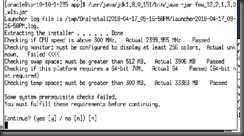
y

next next next..

takes about 1 minute

Take note of where the logs are for later
Ensure that you launch the config assistant
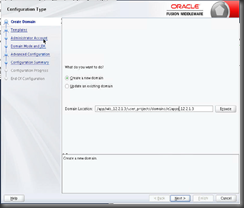
and rename it to what you want – this might be helpful in SM
Note that I like e1apps and then release

Next
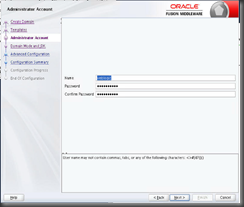
I keep username default
dev mode, because I love boot.properties
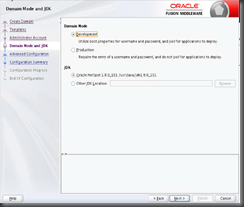
choose all 3 because you need a machine

I’m already using 7001 and 2 so..

Node manager per domain
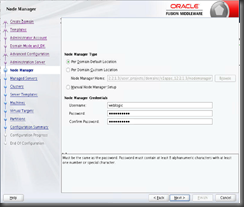
Leave clusters, but add a machine

Assign servers to machine

3 seconds later, done
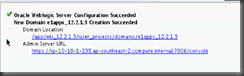
/app/wls_12.2.1.3/user_projects/domains/e1apps_12.2.1.3/startWebLogic.sh
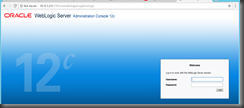
job done

register with SM
Then choose 12c
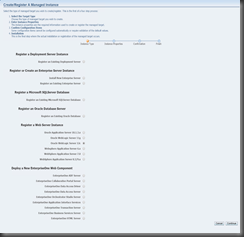
Then enter the details of your install

don’t use any ‘.’s in the name

create instance!

interestingly I’m getting this in the console logs
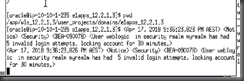
Looks like the weblogic password is not being saved in SM properly
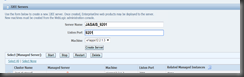
click on your domain name in SM, then add a server
Note that this password problem seems to the the cause of all my issues at the moment, as SM cannot talk to the admin server because the password is not saving.
This problem was silly me!! The username was saved in the console as “weblogic “ there was a space at the end of the username, therefore when I saved the password it’d error out each time with a red error. Eventually the system would lock out WLS.
I had to have the username as weblogic no space and use the save button (as below)
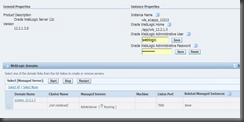
And then restart AdminServer at the command line, then save the password in SM – and it finally took!
I was then able to create my additional server easily

And now install JAS 9.2.2.4 to it

Note that I have a 9201 running, so I’m going to take that down to avoid locking.

Create

it seems that you can create without a node manager.
But you cannot start or synchronize the content without a nodeManager
Now my JDE works, I do not get the stuck thread issues that I was with 12.2.1.2