How AI Turned Your Best-Kept Secret Into Your Competitive Advantage
The Hidden Gem Nobody Knew They Had
Let's talk about JD Edwards Orchestrator for a minute.
It's genuinely brilliant technology. Released in 2014, it gave you the ability to compose complex business processes using JDE's building blocks - Business Functions, Form Services, Data Services - all through visual configuration. No custom code. No modifications. Just pure, governed business logic.
You could automate virtually anything: price updates, order processing, journal entries, inventory movements, complex multi-step workflows. And it all ran natively in JDE, respecting security, maintaining audit trails, following your business rules.
The catch? Actually using them.
Sure, tools existed to trigger orchestrations from Excel. They worked. Sort of. For $50K+ and a consultant who had to configure each integration point manually. And once that consultant left, good luck making changes. The result? Most organizations built a handful of orchestrations and then... stopped.
Not because orchestrations weren't powerful. But because the interface between "I need this done" and "the orchestration runs" was too complicated for most users to bridge.
That just changed.
The Modern Take: OAuth 2.0 Security Meets Conversational AI
Here's what just became possible, and you can stand this up in hours:
You: "Process these 500 invoices from the email I just forwarded you."
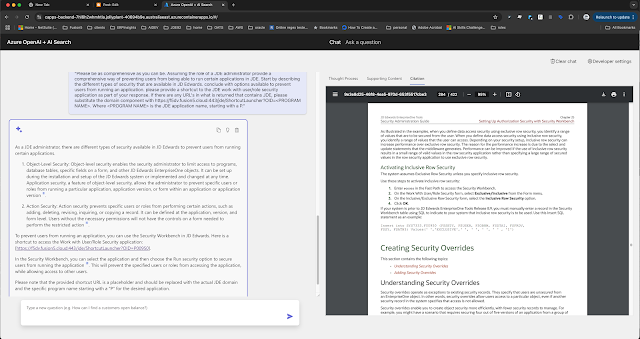
Copilot: "Authenticated as shannon.moir@fusion5.com.au. Processing AP batch orchestration... Validating vendor codes... Checking GL accounts... Complete. 487 invoices posted under your authority, 13 flagged for review - 8 missing PO numbers, 5 over tolerance."
That sentence just:
- Authenticated you via OAuth 2.0 (you're already signed into Teams/M365)
- Extracted the spreadsheet from your email
- Called your AP processing orchestration
- Executed it under YOUR user credentials (respecting your JDE security profile)
- Processed hundreds of transactions
- Returned results in plain English
- Created a complete audit trail showing YOU initiated this
Zero clicks. Zero forms. Zero credentials shared. Zero security compromises.
Your orchestration didn't change. The business logic didn't change. JDE didn't change.
You just started having a conversation with your business processes.
Why This Time It's Different
The Old Tools: Excel Plugins and Expensive Middleware
If you've been around JDE long enough, you've seen the attempts:
The Excel Add-in Approach (Circa 2016-2020):
- Install a plugin on every user's machine
- Map columns to orchestration parameters manually
- Hope nobody changes the spreadsheet format
- Pay annual licensing per user
- Call consultants when it breaks
- Cost: $50K-$200K for setup, $20K+/year maintenance
It worked for exactly one use case, set up by exactly one consultant, used by exactly one person who was terrified to change anything.
The Custom Integration Approach:
- Build REST API wrapper around orchestrations
- Write documentation nobody reads
- Create training materials nobody watches
- Maintain custom code forever
- Cost: $100K+ and 6 months of developer time
Both approaches shared the same fundamental flaw: They required users to understand the technology, not just describe what they needed.
The Modern Approach: Conversational + Secure + Fast
This is different because:
1. OAuth 2.0 Authentication (Real Security)
- Users authenticate once (they're already signed into Microsoft 365)
- Every action runs under their actual JDE credentials
- JDE security profiles apply automatically
- Complete audit trails show who did what
- No shared passwords, no service accounts, no security theater
2. Natural Language Interface (Real Usability)
- Users describe what they need in their own words
- AI maps that to the right orchestration
- Parameters get filled from context (email attachments, spreadsheets, previous answers)
- Results come back in language they understand
3. Hours to Deploy (Real Speed)
- MCP server deployment: 2-3 hours
- Orchestration enablement: Automatic (if they exist, they're available)
- User training: "Just ask for what you need"
- Total time to first conversation: Same afternoon
4. Zero Modification to JDE (Real Governance)
- Your orchestrations run exactly as designed
- Business logic stays in JDE where it belongs
- No custom code, no modifications, no upgrade blockers
- IT stays in control of what gets built
This isn't replacing the old tools. This is a completely different paradigm.
Real Scenarios: From "It Takes All Day" to "Ask and It's Done"
Scenario 1: The Monday Morning Vendor Price Update
The Old Reality:
Sarah from Purchasing receives a spreadsheet: 2,847 price updates from a major supplier.
With the Excel plugin tool, she still has to:
- Open the special Excel file with the plugin
- Make sure her columns match exactly
- Click "Validate" and wait
- Fix the 47 rows that error out
- Click "Submit" and pray
- Watch the progress bar for 45 minutes
Usually finishes by lunch. If nothing breaks.
The New Reality:
Sarah types in Teams: "Process the price update spreadsheet from Acme Corp."
Copilot: "Found spreadsheet with 2,847 items. Running vendor_price_update_v2 orchestration under your credentials... Complete in 4 minutes. 2,830 prices updated. 17 exceptions flagged - 12 items not found, 5 prices exceed your authorization threshold (forwarded to Purchasing Manager). Changes logged under your user ID."
Same orchestration. Same business logic. Same security. Different interface.
She's done in 5 minutes instead of 4 hours. And she didn't have to remember how to use the special Excel file.
Scenario 2: The AP Processing That Never Ends
The Old Reality:
Month-end means processing 40-50 journal entry spreadsheets from different departments.
With the old custom REST API integration, IT built a web form. Users still have to:
- Log into the custom portal (separate credentials)
- Upload their spreadsheet
- Wait for email confirmation
- Check for errors in a different screen
- Re-submit corrections
- Repeat until it works
The accounting team blocks out two days for this. Every month.
The New Reality:
"Process all month-end journals from the shared folder using my approval authority."
Copilot: "Found 47 files. Authenticating as robert.chen@company.com... Running journal_validation_posting orchestration on each file... Complete. 45 journals posted (batch ID: JE-2025-11-001), all under your user profile. 2 failed validation - Department 450 account 1234 inactive, Department 320 entries don't balance ($1,250 discrepancy). Details sent to your email. Audit trail complete."
Two days became 15 minutes. The orchestration has sophisticated validation logic that IT built once. Now anyone with proper authority can trigger it by asking.
Scenario 3: Customer Orders That Used to Ruin Fridays
The Old Reality:
Jake's biggest customer emails a weekly order spreadsheet. 300-500 items.
The old Excel plugin required him to:
- Download their spreadsheet
- Open it in the special template
- Map their columns to his columns (because they change their format)
- Run validation (15 minutes)
- Fix errors
- Submit batch
- Hope it works
Usually took 3-4 hours every Friday afternoon.
The New Reality:
Friday, 3:00 PM: "Create sales orders from the BigCustomer weekly file. Ship-to their distribution center, requested date next Monday, use our standard pricing agreement."
Copilot: "Processing 467 line items under your sales authority... Running customer_order_import_v3 orchestration... Complete. Orders 450123-450589 created (total $3.2M), all assigned to your user ID for commission tracking. 23 items flagged as below safety stock - PO suggestions generated and sent to Purchasing. Customer confirmation email sent. You're done for the week."
Jake makes his 3:30 PM tee time. The orchestration handles customer-specific item mappings, pricing rules, inventory checks, and order creation. IT built it once. The AI makes it conversational.
The Chaining Effect: Conversations That Compose Business Processes
Here's where it gets transformative.
Once your orchestrations are conversational, you can compose them into workflows without writing new code.
Example: The Supply Chain Cascade
"Check inventory for next week's production schedule, flag anything under safety stock, generate PO suggestions for approved vendors, and send the summary to procurement."
That sentence just:
- Called your production_schedule_analysis orchestration
- Piped results to inventory_status_check orchestration
- Fed those results to smart_po_generation orchestration
- Triggered email_procurement_summary notification
- All authenticated under your credentials
- All audited in JDE
Four orchestrations. Built separately. By different people. For different purposes.
The AI composed them into a workflow because you described the outcome you wanted.
This is English as a programming language. The orchestrations are your functions. The conversation is your code.
Another Example: The New Hire Cascade
"New employee starts Monday - Emma Wilson, Analyst role, Department 450, reports to badge 10234, standard benefits package, laptop and access to Finance systems."
That cascades through:
- HR employee_onboarding orchestration (creates master record)
- IT provisioning_automation orchestration (triggers Azure AD, assigns licenses)
- Department assignment_workflow orchestration (manager notification, cost center allocation)
- Benefits enrollment_automation orchestration (adds to next enrollment window)
- Asset management orchestration (creates laptop request)
- Email notification orchestration (welcome email to Emma, confirmation to manager)
Six orchestrations. Five different systems. One sentence. Under your authority.
The orchestrations don't know about each other. But the AI knows what each one does and can compose them into an onboarding process.
You just onboarded a digital employee to onboard a real employee.
The Vision: Prescriptive Assistants and Digital Employees
This isn't about replacing your existing tools. This is about creating a new class of worker: prescriptive AI assistants that act as your digital workforce.
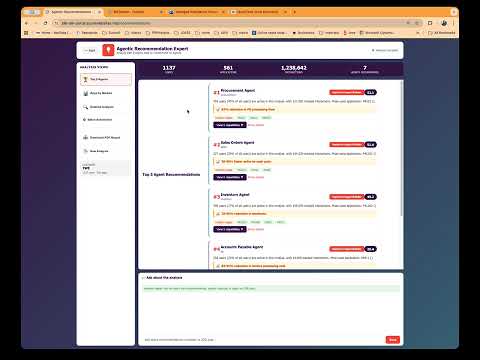
Meet Your New Digital Employees
Dana: Your AP Processing Assistant
- Monitors incoming invoices
- Knows your approval thresholds
- Validates against POs automatically
- Routes exceptions to the right people
- Runs your AP posting orchestration when everything checks out
- Available 24/7, never takes vacation, doesn't forget the month-end deadline
Marcus: Your Inventory Management Assistant
- Watches inventory levels constantly
- Knows your safety stock rules by item and location
- Predicts stockouts before they happen
- Generates PO requisitions using your approved vendor list
- Routes to the right approver based on dollar threshold
- Triggers your inventory_replenishment orchestration automatically
Sofia: Your Order Management Assistant
- Monitors incoming customer orders from all channels
- Validates against credit limits and inventory
- Flags orders that need special handling
- Executes your order_processing orchestration for routine orders
- Escalates complex orders to humans with full context
- Learns your customers' patterns and preferences
These aren't chatbots. These aren't RPA bots clicking through screens.
These are digital employees with judgment, context, and the authority to execute your business processes through orchestrations.
The Onboarding Process: Hours, Not Months
Here's what's revolutionary: You can stand up a digital employee in an afternoon.
Morning:
- Identify a repetitive process (AP invoice processing, price updates, order entry)
- Build or dust off an orchestration (you probably already have one)
- Deploy the MCP server (2-3 hours if you're following the guide)
- Configure OAuth authentication (already done if you're using M365)
Afternoon:
- Test: "Process these test invoices"
- Refine: Adjust the orchestration if needed
- Document: "Dana handles AP processing for invoices under $10K"
- Enable: Users can now ask Dana to process invoices
Next Day:
- Dana processes 200 invoices before anyone arrives
- Flags 15 exceptions for human review
- Sends summary report at 8 AM
- Your team spends the day on exceptions, not data entry
Total setup time: 4-6 hours.
Compare that to:
- Custom Excel plugin: 3 months and $50K
- REST API integration: 6 months and $100K+
- RPA bot development: 2-3 months and ongoing maintenance nightmares
The Multiplication Effect
Once you have one digital employee working, adding the next one is even faster.
Your orchestrations become a library of capabilities. New assistants can mix and match them.
Month 1: Dana (AP Processing) Month 2: Marcus (Inventory) reuses some of Dana's notification orchestrations Month 3: Sofia (Order Management) reuses Dana's validation patterns and Marcus's inventory checks Month 4: Your team proposes three more assistants because they see what's possible
Within six months, you have a digital workforce handling routine operations while your human team focuses on exceptions, strategy, and growth.
This is the vision: A hybrid workforce where digital employees handle the predictable, and humans handle the exceptional.
The OAuth 2.0 Difference: Security That Actually Works
Let's talk about why this is fundamentally more secure than the old approaches.
Old Approach: Security Theater
Excel plugins: Shared service account, hard-coded credentials, everyone uses the same access level Custom APIs: Service account with elevated privileges, hope nobody abuses it Web portals: Separate authentication system, users forget passwords, IT resets them constantly
The result? Either too restrictive (nobody can do their job) or too permissive (everyone has admin rights).
New Approach: Real Security
OAuth 2.0 + Azure Entra ID + JDE Security:
- User authenticates once (they're already signed into M365)
- Azure validates their identity (your existing MFA, conditional access, all applies)
- MCP server receives their token (time-limited, cryptographically signed)
- Maps to their JDE user (shannon.moir@fusion5.com.au → SMOIR in JDE)
- Orchestration runs under THEIR credentials (with their security profile, their approvals, their limits)
- JDE logs it under their user ID (complete audit trail)
If you can't do it in JDE, you can't do it through the AI.
Your AP clerk can process invoices under $10K (their authority limit). Your controller can process anything (their authority is higher). Your warehouse worker can check inventory but not change prices (read-only on pricing tables).
The AI doesn't get special privileges. It impersonates the user making the request.
This means:
- Proper separation of duties
- Real audit trails
- No credential sharing
- No elevation of privilege attacks
- SOX compliance maintained
- Your security team can actually sleep at night
What to Actually Watch Out For
Since security is handled properly, here's what you should actually think about:
1. Change Management: Your Team Might Resist the Help
Your most experienced users might be skeptical: "I've been doing this for 15 years. Why do I need AI?"
The answer: You don't need it to do your job. You need it so you can do more than your job.
The AP clerk who's an expert at processing invoices? Now she has time to analyze vendor spend patterns and negotiate better terms.
The inventory manager who knows the system inside-out? Now he can focus on supplier relationships instead of data entry.
Digital employees handle the routine. Humans get promoted to strategic.
2. Over-Automation: Not Everything Should Be Automated
Just because you can automate something doesn't mean you should.
Good candidates for automation:
- High volume, low complexity (invoice processing, order entry)
- Rule-based decisions (reorder points, price updates)
- Data validation and transformation
- Scheduled, predictable workflows
Bad candidates for automation:
- Strategic decisions with incomplete information
- Edge cases requiring human judgment
- Processes that change frequently (automate after they stabilize)
- Anything involving complex ethical considerations
The goal isn't zero humans. It's humans working on human problems.
3. Orchestration Quality: Garbage In, Amplified Out
The AI will make your orchestrations 10x more used.
If your orchestration has a bug, you're about to discover it. Fast.
The good news: High usage means fast feedback. You'll improve your orchestrations quickly because you'll see how they're actually being used.
The bad news: You need to be ready to iterate. Don't build the perfect orchestration over 6 months. Build a good one in 2 weeks, deploy it conversationally, learn from usage, improve.
4. Documentation: It Actually Matters Now
Nobody read your orchestration documentation before because nobody used the orchestrations.
Now people will use them constantly. But they won't read documentation - they'll just ask the AI.
Make sure your orchestrations have:
- Clear names that describe what they do
- Good descriptions that explain their purpose
- Defined input parameters with sensible names
- Expected output documented
The AI uses this to match user requests to the right orchestration. "Process vendor payments" should map to "vendor_payment_batch_v2" not "BSFN_CUSTOM_JOB_17."
Getting Started: Your First Digital Employee in One Day
Morning (9 AM - 12 PM): Deploy the Infrastructure
Hour 1-2: Deploy MCP Server
- Follow the deployment guide (it's actually straightforward)
- Provision Azure Container App
- Configure connection to your JDE AIS server
- Set up API Management gateway
Hour 3: Configure OAuth
- Register application in Azure Entra ID
- Set up API permissions
- Configure token validation
- Test authentication flow
Total: 3 hours (with the guide, following the steps)
Afternoon (1 PM - 5 PM): Enable Your First Use Case
Hour 4: Inventory Your Orchestrations
- List what orchestrations you already have
- Pick one painful process to start with
- Make sure the orchestration has good metadata
Hour 5: Test Conversationally
- Connect to Copilot/Teams/Power Platform
- Try: "Process the test vendor price update file"
- Verify it calls the right orchestration
- Check that security and audit trails work
Hour 6-7: Refine and Document
- Adjust orchestration if needed based on testing
- Create simple guidance: "Ask Dana to process AP invoices"
- Test with real users
Hour 8: Deploy to Production
- Enable for pilot user group
- Monitor usage and feedback
- Iterate based on what you learn
Next Day:
- Your first digital employee is processing real work
- Users are asking for it conversationally
- You're collecting data on usage patterns
- You're already planning the next digital employee
Total time: One day.
Week 2: Add Your Second Digital Employee
It's faster the second time because:
- Infrastructure is already deployed
- You understand the patterns
- Users trust the approach
- You have orchestrations ready to enable
Time: 2-3 hours to enable another use case.
Month 2: You Have a Digital Workforce
- 5-10 digital employees handling routine operations
- Your human team focusing on exceptions and strategy
- Usage data showing ROI in real-time
- Business units asking for their own digital assistants
This is the multiplication effect of conversational orchestrations.
The Conclusion: Your Hidden Assets Just Became Your Competitive Advantage
For years, your orchestrations have been your best-kept secret. Powerful capabilities that only a few people knew how to trigger.
That just changed.
Those orchestrations are now conversational. Anyone with the right authority can use them by describing what they need. Your business logic became accessible.
Your digital transformation didn't require replacing JDE. It required giving it a voice.
The competitive advantage isn't the AI. It's the business logic you've already built in JDE, now available to everyone who needs it.
Your competitors are still:
- Manually entering data
- Paying consultants $200/hour
- Waiting months for custom integrations
- Training users on complex systems
You're having conversations with your business processes.
Welcome to the age of the digital workforce.
Start Tomorrow Morning
9:00 AM: Identify one painful, repetitive process 10:00 AM: Check if you have an orchestration for it (you probably do) 11:00 AM: Deploy the MCP server (following the guide) 2:00 PM: Test conversationally 3:00 PM: Deploy to pilot users Next Day: Watch your first digital employee process work
Total investment: One day. Return: Immediate and ongoing.
The barrier wasn't the technology. It was the interface.
That barrier just disappeared.
Written by someone who watched brilliant orchestrations sit unused for years because they were "too hard to trigger." Not anymore.
November 2025